Guides
Capture it once. Run it on every machine like it.
A standard operating procedure with photos, step by step, drafted from the thread where the failure was solved and attached to every machine it applies to. The technician is the author; Norlan does the typing.
Belt tension after a format change
Metal detector MD-3000 · 8 units · v2
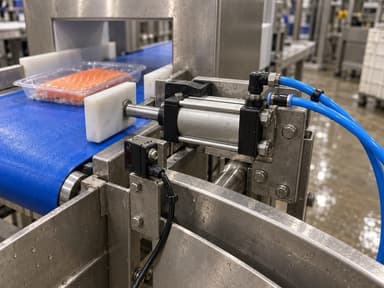
1Stop the line and lock out
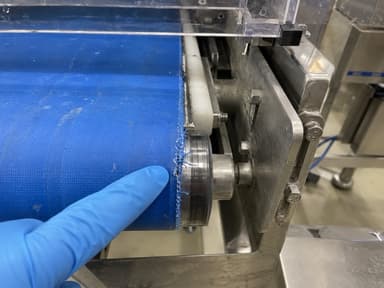
2Check belt tension
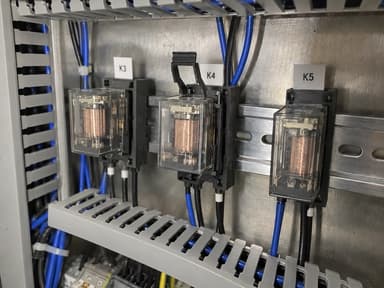
3Confirm the K4 relay is seated
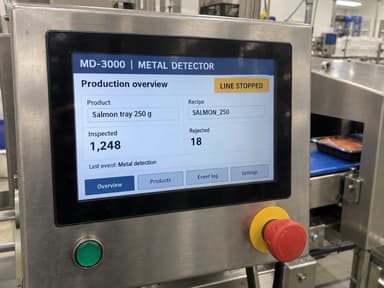
4Run twenty packs
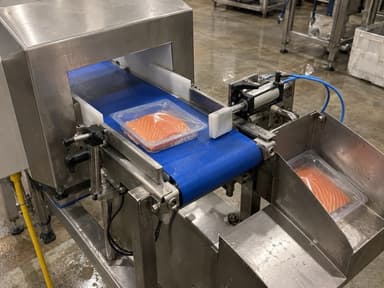
5Close with a photo
Step 2 of 5
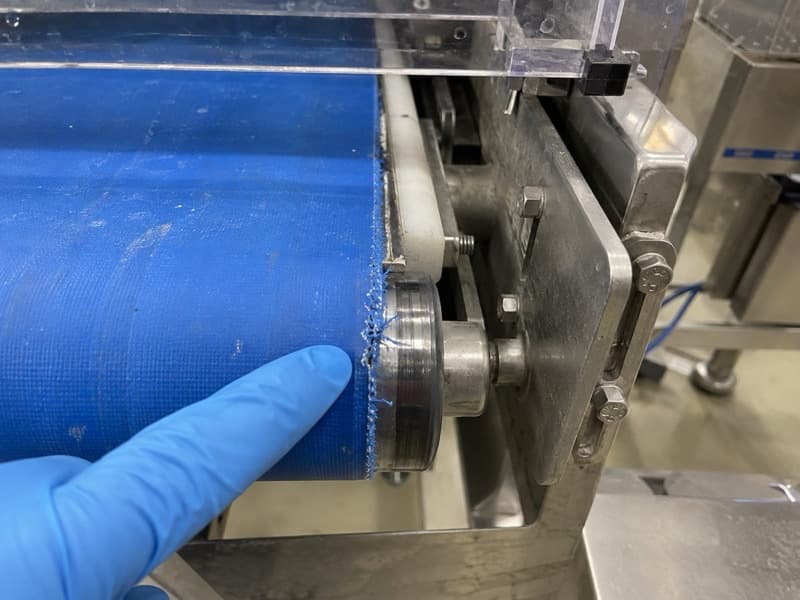
Check belt tension at the tail pulley
Measure on both sides. On this model it slackens after a format change.
Photo required to continue
Drafted from “False rejects after a format change” · 29 Jul
How it works
From the thread to the procedure, in three steps.
Captured from the repair, run at the machine, written once for the model. The argument behind it is in From the thread to the guide.
Create
Capture it on the phone. Norlan writes the steps.
From the thread that solved the failure, from ten minutes of dictation, or from a PDF or video you already have. The AI drafts the steps with their photos, and the person who knows the machine corrects them.
- From a closed thread
- From a dictated walkthrough
- From an existing PDF or video
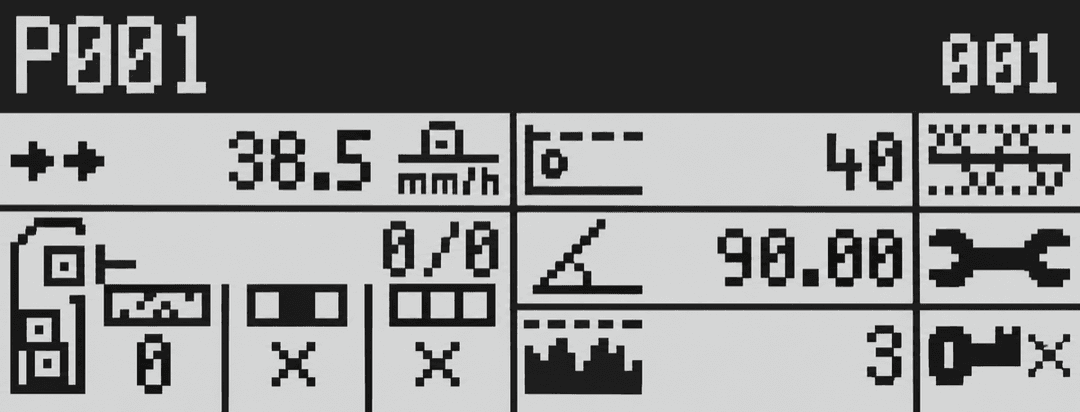
Assign the product name after a format change
Metal detector MD-3000 · 8 units · v1
Check that you're on the main menu
Run
A guide is run, not read.
One step per screen, in the order the work happens. The steps that matter ask for a confirmation or a photo, and every run stays on the machine's history: who did it, and when.
- Confirmation and photo where it matters
- A step that cannot be done opens a thread
- Every run kept on the asset
Lockout before a belt change
Metal detector MD-3000 · v2 · step 2 of 6
Padlock the main isolator and keep the key on you
One padlock per person working on the machine. The key does not go back on the board until the guard is closed.
Photo required · the padlock in place
Each confirmation is kept on the asset, with who did it and when. A step that could not be done opens a thread.
Standardise
Written once for the model. Adapted where a unit is different.
Attached to the model, a guide reaches every identical machine: the next line, the other site, the one arriving next year. The exception that is only true for one unit is pinned there, and nobody else sees it.
- Every identical machine learns once
- Unit exceptions stay on their unit
- Coverage and gaps per model
One guide, eight machines
Model
Metal detector MD-3000
Guide · Assign the product name
S1-PK-L1-0051
Berlin
S1-PK-L2-0018
Berlin
S2-PK-L4-0092
Munich
S2-PK-L7-0104
Munich
+ 4 more units
What a guide contains
Steps, photos, the unit that is different, and the name of who approved it.
Steps, in the order the work happens
One per screen, with the photo or the reading the step needs, and a confirmation where it matters.
What the manual does not say
The field note that came out of the thread, and the passage of the manual the guide departs from.
The unit that is different
An exception that is only true for one machine is pinned to that unit; the model keeps the common version.
A version and a name
Who wrote it, who approved it, what it superseded. A wrong guide becomes a new version for review, never a deletion: the audit trail is the guide's own history.
Questions about guides
Who actually writes them?
Who approves a guide?
What happens when the manual and the guide disagree?
What happens when a guide turns out to be wrong?
Book a demo
Bring one failure that repeated. We will show what it would have written.
We start with the operation — which failures repeat, who gets called when something breaks, what the CMMS does not hold — and then show how Norlan would work on it.
What we usually cover
- How an incident flows today, from detection to fix
- Where the conversation actually happens: the systems, or calls and WhatsApp
- What takes longer — the diagnosis, or getting the right people and information together
- How much of what a technician knows is written down, and what happens when they are away
- Which tools are really in play: CMMS, ERP, mobile, paper
- What a pilot would measure, and how
Pick a time that suits the plant. Bring one failure that keeps coming back.
The call is with the people who build the product, with no qualification call first. Norlan is pre-general-availability and shaped with maintenance teams in pharma and food processing.